
Best Drawing Tablets With Screens
Imagine the effortless flow of your creativity, the seamless translation of your hand’s movement onto a vibrant, high-resolution display. That’s the promise of the best drawing tablets with screens, a world where the frustrating disconnect between traditional art and digital creation vanishes. But with a market flooded with options, how do you sift through the noise and find the perfect tool to truly unlock your artistic potential?
Don’t worry, because I’ve done the legwork for you. I’ve spent countless hours testing and comparing the best drawing tablets with screens, diving deep into their features and performance. Now, let’s explore these digital canvases together, and discover which one will not only elevate your art but also reignite your passion for creation.
As an Amazon Associate, I earn from qualifying purchases.

XP-PEN Drawing Tablet
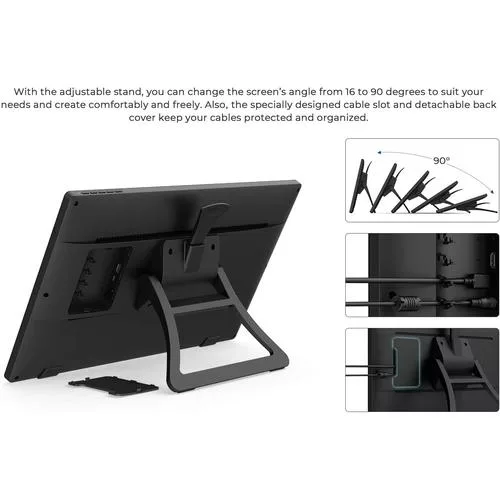
The XP-PEN Drawing Tablet offers a 21.5″ graphics display with USB‑C connectivity, an adjustable stand for comfort, and a battery‐free stylus that supports up to 8,192 pressure sensitivity levels. Its rich color gamut and precise cursor positioning make it an excellent tool for digital artists, educators, and professionals.
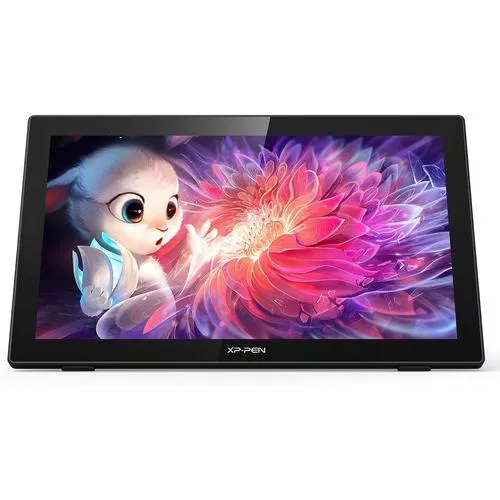
- USB‑C to USB‑C connection for seamless connectivity
- Adjustable stand with angle options from 16° to 90°
- High precision with accurate cursor positioning
- Vibrant display with 86% NTSC color gamut
- Battery‐free stylus with 8,192 pressure sensitivity levels and 60° tilt
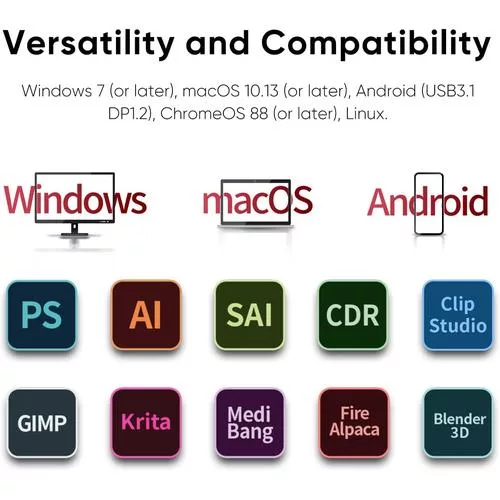
- Wide compatibility with Windows, macOS, and popular art software
- Box includes: 21.5″ graphics display, PA6 stylus, multiple cables, pen holder, cleaning cloth, and more
Our Thoughts
Combining a large, vibrant display with an adjustable design and advanced pen technology, the XP-PEN Drawing Tablet is built to offer a natural drawing experience. Its extensive compatibility and included accessories make it a versatile choice for creative professionals and beginners alike.
XP Pen Upgraded Artist 15.6 Pro V2
The XP Pen Upgraded Artist 15.6 Pro V2 redefines digital drawing with its 15.4″ fully laminated anti-glare screen, 16K pressure sensitivity powered by the new X3 Pro smart chip stylus, and an intuitive red dial interface. With 8 customizable express keys and a sleek, slim design, it’s built for both professionals and enthusiasts.
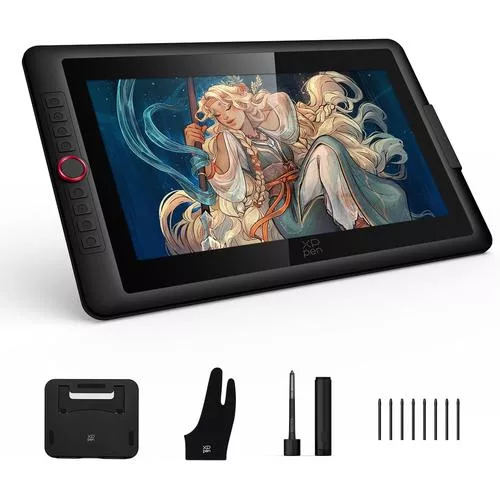
- 16K pressure sensitivity for hyper-nuanced drawing
- Innovative red dial for quick control of brush size, navigation, and zoom
- 15.4″ full laminated anti-glare screen with minimal parallax
- 8 customizable express keys for personalized shortcuts
- Stunning color accuracy with 99% sRGB and 96% Adobe RGB coverage
- Slim 11mm profile with an easily adjustable brightness control
- Includes a foldable stand for improved posture and heat dissipation
Our Thoughts
With its robust feature set and modern design, the XP Pen Upgraded Artist 15.6 Pro V2 stands out as a versatile tool that meets the demands of both intricate illustration and everyday digital tasks. Its smooth responsiveness and customizable controls deliver a professional-grade experience in the best drawing tablet category.
Wacom Cintiq 16 Drawing Tablet
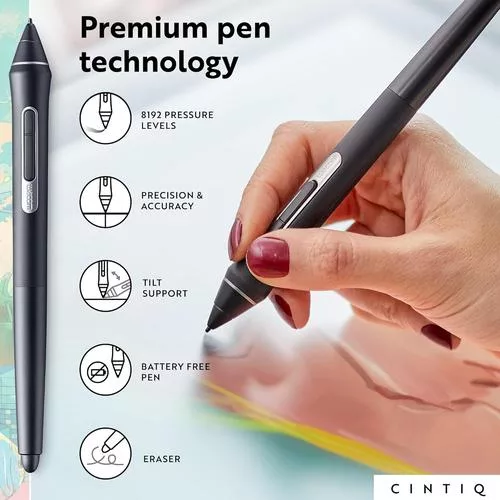
The Wacom Cintiq 16 is a premium creative pen display designed for animation, digital art, and design. Its optimized LCD with HD resolution offers uniform brightness and true-to-life color quality, while the included Pro Pen 2 delivers tilt recognition, virtually lag-free tracking, and 8192 levels of pressure sensitivity with 2 customizable switches for quick access to shortcuts. This tablet is ideal for creative hobbyists, students, and professionals, and comes complete with replacement nibs, a nib remover, a 3-in-1 connectivity cable, an AC adapter, a power cable, and a quick start guide.
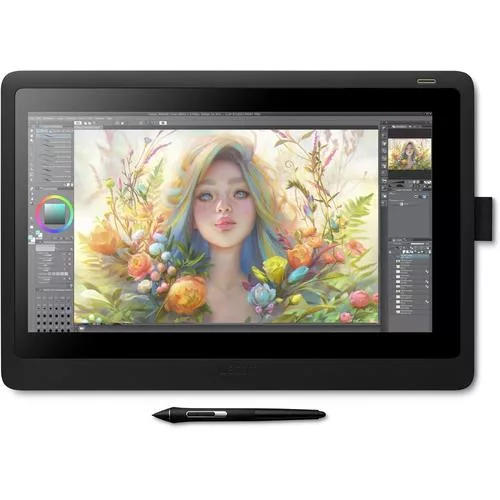
- Standing screen display size: 15.6 Inches
- Screen Resolution: 1920×1080
- Weight: 4.19 pounds
- Dimensions: 11.2 x 16.6 x 0.1 inches
- Creative Pen Display optimized for animation and digital art
- Pro Pen 2 with tilt recognition, 8192 levels of pressure sensitivity, and 2 customizable switches
- Includes: Cintiq display, Pro Pen 2, 3 replacement nibs, nib remover, 3-in-1 connectivity cable, AC adapter, power cable, and quick start guide
Our Thoughts
The Wacom Cintiq 16 offers an exceptional drawing experience with its vibrant display and highly responsive Pro Pen 2. Its minimal parallax and natural paper-like feel make it perfect for detailed illustration and design work. Whether you’re a creative professional or a passionate hobbyist, this tablet provides the reliability and precision needed for serious digital art.
HUION KAMVAS Pro 16 Graphics Drawing Tablet
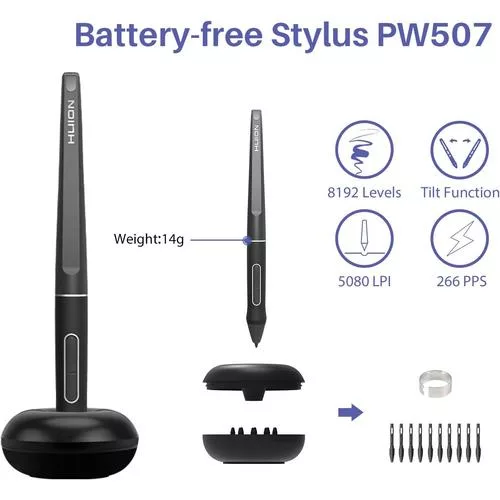
The HUION Kamvas Pro 16 features a fully laminated HD screen with anti-glare glass for reduced parallax, paired with a battery-free stylus offering 8192 pressure sensitivity and 60° tilt. Its 6 customizable express keys and touch bar make it a strong choice for both creative professionals and online educators.
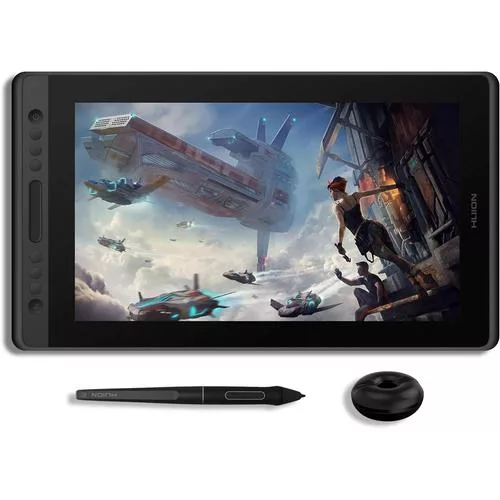
- Full laminated HD screen with anti-glare for minimal parallax
- Battery-free stylus with 8192 pressure sensitivity and 60° tilt
- 6 customizable express keys plus a touch bar for quick controls
- Compatible with Windows, macOS, and major drawing software
- Ideal for online teaching, digital art, and remote work
Our Thoughts
The HUION Kamvas Pro 16 is engineered for precision and comfort, delivering a nearly paper-like drawing experience with a clear, vibrant display. Its feature set and affordability make it a compelling option for both professional artists and educators.
GAOMON PD156Pro – 15.6″ Drawing Tablet
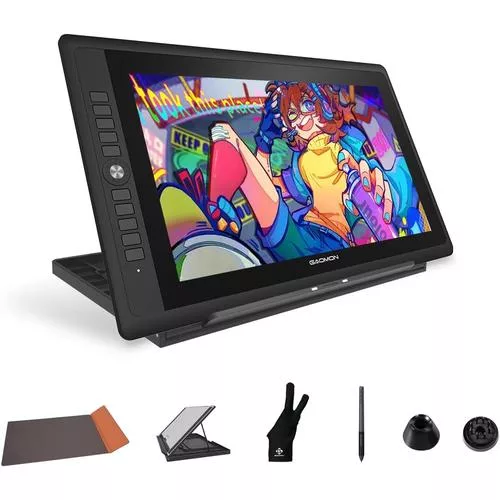
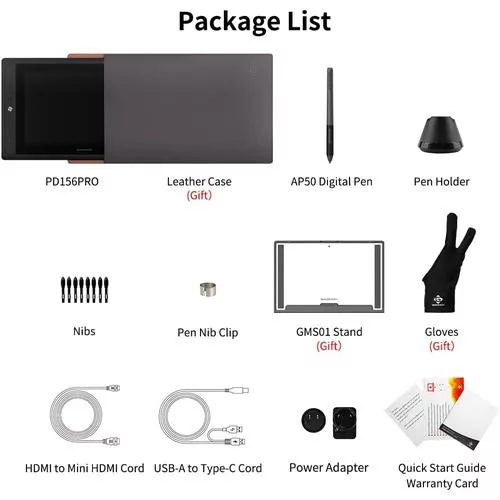
The GAOMON PD156Pro brings a high-performance drawing experience with its 15.6″ Full HD, fully laminated screen featuring a 120% sRGB color gamut. It is paired with an 8192-level battery-free stylus, 10 customizable express keys, and an intuitive dial key, all in a lightweight and portable design.
- 15.6″ Full HD screen with full-lamination to minimize parallax
- Pre-applied anti-glare film for a paper-like drawing experience
- Battery-free stylus with 8192 levels of pressure sensitivity and ±60° tilt
- 10 programmable express keys plus a powerful dial key
- Single-cable connection powered via USB-A and HDMI
- Lightweight design with a foldable stand and bonus leather case
Our Thoughts
Designed for both beginners and intermediate users, the GAOMON PD156Pro delivers a versatile and responsive drawing experience. Its high-quality screen and customizable controls combine with portability, making it an attractive option for artists on the go.
X14 Standalone Drawing Tablet
The X14 Standalone Drawing Tablet is a powerhouse with a 14.1″ Full HD capacitive IPS touch screen that operates independently from a computer. It comes preloaded with premium drawing and animation apps and packs 6GB of RAM alongside a 128GB disk—all driven by an octa-core processor for both creative work and entertainment.
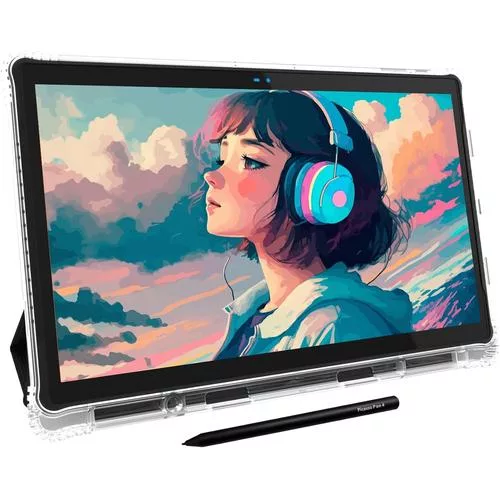
- 14.1″ Full HD capacitive IPS touch screen with minimal parallax
- Standalone operation powered by Android 13
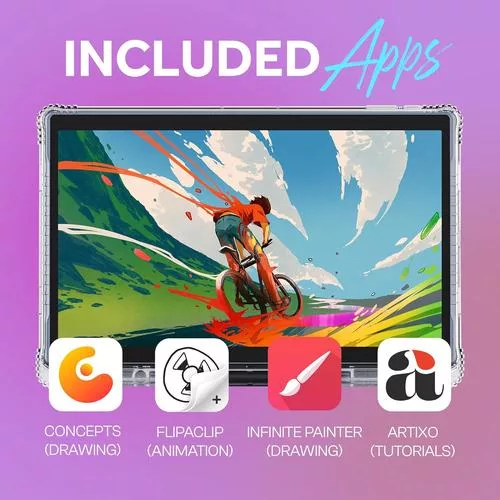
- Pre-installed premium drawing and animation apps (Concepts, Infinite Painter, Flipaclip, and Artixo)
- Robust hardware: 6GB DDR4 RAM, 128GB storage (expandable up to 1TB)
- Octa-core processor for smooth performance
- Includes a 10000 mAh battery for extended use
Our Thoughts
With its expansive display and standalone capabilities, the X14 is designed for artists who need a portable yet powerful creative hub. Whether you’re drawing, animating, or enjoying multimedia content, its robust hardware and preloaded software make it an all-in-one solution.
Check Out These Other Digital Drawing Tablets With Screens
XP-PEN Drawing Tablet
XPPen Upgraded Artist 15.6 Pro V2
Wacom Cintiq 16 Drawing Tablet
HUION KAMVAS Pro 16 Drawing Tablet
GAOMON PD156Pro – 15.6″ Drawing Tablet
X14 Largest Standalone Drawing Tablet
Browse Our Other Reviews Here





Our Testing Methods:
To bring you the best drawing tablets with screens of 2025, we conducted extensive research and testing through multiple sources:
- Market Research: We analyzed current market trends, pricing strategies, and consumer demand to identify the best smart devices.
- YouTube Reviews: We reviewed expert opinions and real-world usage experiences from top reviewers to gauge performance, compatibility, and usage capabilities.
- Analytics & Benchmarks: We assessed independent benchmark scores, performance tests, and comparisons to ensure objective and data-driven recommendations.
- User Feedback: We considered feedback from actual users across various platforms, including online retailers, forums, and social media discussions.
- Hands-on Testing: When possible, we test these devices in real-world scenarios, evaluating performance, connectivity, and overall usability.
By combining these insights, we aim to ensure that our recommendations are backed by thorough analysis and real-world performance data.
Thanks for stopping by!
Disclaimer: This website contains affiliate links, which means we may earn a commission if you purchase through our links—at no extra cost to you. Our reviews are based on research and user feedback, but we make no guarantees regarding the performance, longevity, or quality of any reviewed item. Always do your own research before making a purchase.